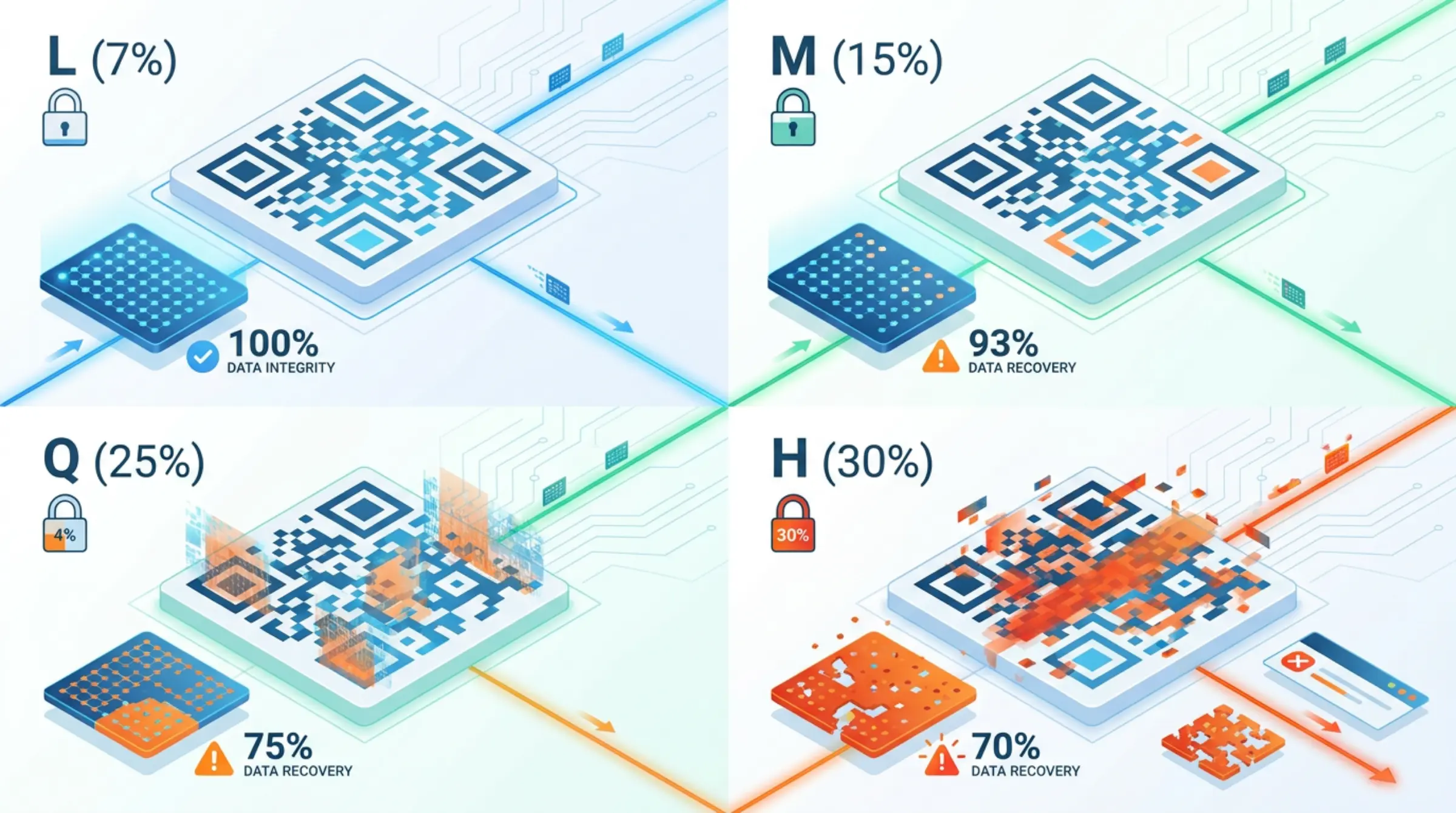
Error correction is the magic that lets QR codes survive damage, dirt, and design modifications. Our qr code free generator lets you choose the level — here's what you need to know.
How Error Correction Works
QR codes use Reed-Solomon error correction — the same math used in CDs, DVDs, and deep space communication. Redundant data is encoded so the original message can be reconstructed even if parts are missing or corrupted.
Think of it like a paragraph where every 3rd word is a summary of the previous two. If a word gets smudged, you can infer it from context. QR codes do this mathematically across the entire pattern.
The Four Levels
| Level | Recovery Capacity | Data Capacity | Best For |
|---|---|---|---|
| L (Low) | ~7% | Maximum | Clean environments, no logo, maximum data density |
| M (Medium) | ~15% | High | General purpose, standard use |
| Q (Quartile) | ~25% | Medium | Moderate customization, some wear expected |
| H (High) | ~30% | Lowest | Logos, gradients, custom shapes, harsh environments |
What "30% Recovery" Actually Means
Level H doesn't mean you can cover 30% of the code with a logo. It means up to 30% of the codewords (data units) can be corrupted and the message still recovers. In practice:
- A centered logo covering 15-20% of the visual area typically works at Level H
- Scattered damage (scratches, smudges) is easier to recover than concentrated damage
- The finder patterns (three corner squares) and timing patterns are protected separately
Choosing the Right Level
Level L — Maximum Data, Minimum Protection
- Use when: Encoding long URLs, vCards with many fields, maximum data density needed
- Environment: Clean, controlled (indoor signage, digital display)
- Design: Plain black/white, no logo, standard shapes
Level M — Balanced Default
- Good baseline for most qr code generator free use cases
- Handles minor printing variations
Level Q — Extra Safety Margin
- Use when: Outdoor signage, product packaging, moderate customization
- Good for: Single-color customization, slight shape variations
Level H — Maximum Resilience (Recommended for Design)
- Always use Level H when: Adding a logo, using gradients, custom shapes, or custom eye designs
- Use when: Harsh environments (industrial, outdoor, high-touch surfaces)
- Trade-off: Larger code or less data capacity — but your design works
Error Correction vs. Design Choices
| Design Feature | Min Level | Notes |
|---|---|---|
| Plain B&W, standard shapes | L | Maximum data capacity |
| Custom colors (single) | M | Ensure contrast |
| Gradients | Q | Test thoroughly |
| Custom body shapes | Q | Rounded OK, dots need H |
| Custom eye frames/balls | H | Critical for orientation |
| Logo embedding | H | Max 15-20% coverage |
Visual: How Levels Affect Code Density
Higher error correction = more redundant modules = larger code for same data. Our qr code generator automatically adjusts version (size) to fit your data at the selected level.
For a typical URL (~60 chars):
- Level L: Version 2 (25×25 modules)
- Level M: Version 3 (29×29 modules)
- Level Q: Version 4 (33×33 modules)
- Level H: Version 5 (37×37 modules)
Testing Your Error Correction
- Generate code at desired level
- Print test at final size
- Intentionally damage: scratch with key, smudge with finger, fold paper
- Scan with multiple devices/apps
- If it fails, increase level or reduce customization
Our Recommendation
For any code with customization (colors, logo, shapes), always use Level H. The slight size increase is worth the reliability. For plain codes where size matters and environment is clean, Level M is a good balance.
Create Reliable QR Codes
GenQR AI lets you select error correction level with live preview. Generate qr code free with the right protection for your use case — no cost, no limits.